F220/Net2 System Log Copier
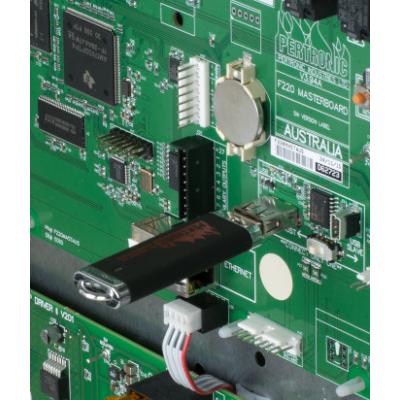
The F220/Net2 System Log Copier is now part of Pertronic FireUtils®. Users of v7.00 or later versions of FireUtils® are able to access the System Log Copier from the FireUtils® menu.
The Pertronic F220/Net2 System Log Copier copies the Linux OS diagnostic logs from an F220 masterboard or Net2 Network Card on to a USB memory stick.
System Log Copier automatically creates a new folder on the USB stick:
- F220_SystemLogs for F220 logs
- Net2Card_SystemLogs for Net2 Network Card logs
Each copy of a log is filed in a separate sub-folder. It is not necessary to create these folders beforehand because SysLogCopier creates them automatically.
Running SysLogCopier does not affect the installed firmware. However, the F220 fire panel or Net2 Network Card will be off-line during the copying process. Please ensure appropriate measures are in place while the fire system is off-line.
If the logs need to be analysed, please send the entire folder/s and their contents to your nearest Pertronic office.
The SysLogCopier tool has been tested with all F220 and Net2Card firmware from version 2.00.00.
To copy the F220 masterboard or Net2 Network Card's internal system logs onto a USB memory stick:
- Download the *.zip file from the Software link (below)
- Open the *zip file
- Follow the instructions in readme.txt
WARNING:
The F220 masterboard or Net2 Network Card will be out of service until it has been rebooted.
It is vital to reboot the board by pressing the RESET switch as described in readme.txt.
Ordering Information
Pertronic System Log Copier is available free to authorised customers.